If you develop on a Mac, you've lived the ritual. Fresh machine. Homebrew. Then thirty brew install commands, half a dozen cask installs, a fonts tap, terminal theme configuration, shell aliases, Docker Desktop licensing conversations with legal — and by the time you're done, it's Thursday.
Kodra macOS is a one-command, fully open-source developer environment bootstrapper that gets you from a bare macOS install to a fully configured, production-ready development setup in minutes. Not a dotfiles repo. Not a Brewfile. A complete development platform — terminal, containers, AI coding agents, cloud CLIs, and 40+ tools — installed, configured, and themed. Every component is open source. MIT licensed. No vendor lock-in.
What's Inside
- Ghostty GPU-accelerated terminal with a cyberpunk theme and Nerd Fonts (open source)
- tmux terminal multiplexer with Kodra workspace menus
- OpenCode — open-source AI coding agent (160K+ GitHub stars) with GitHub Copilot login
- GitHub Copilot CLI for AI-assisted shell commands
- Podman or Colima — full container workflow, no Docker Desktop, no license fees
- Azure CLI, azd, OpenTofu, Terraform, kubectl, Helm, k9s — the full cloud stack
- bat, eza, ripgrep, fzf, lazygit, delta — modern open-source CLI replacements
- Every tool is open source or source-available — MIT licensed, fully auditable
The macOS Developer Environment Problem
Every macOS developer has their setup process. Maybe it's a README in a private repo. Maybe it's a Brewfile you haven't updated since 2023. Maybe it's tribal knowledge — "install this, configure that, don't forget the font."
The problem isn't any single tool. It's the integration. Getting Ghostty to render Nerd Fonts correctly. Making tmux work with your Starship prompt. Configuring Podman's socket so docker compose still works. Wiring up GitHub Copilot in both your editor and terminal. Each tool is simple alone — together, they're a day of configuration.
Kodra macOS solves this with one line:
curl -fsSL https://kodra.macos.codetocloud.io/boot.sh | bashFully open source · Inspect the source · MIT License
When it finishes, you have a development environment that looks like it took a week to curate — because it did. We just did it for you.
Open Source All the Way Down
Yes, Kodra installs cloud CLIs for Azure — a hyperscaler. But the philosophy behind Kodra is unapologetically open source. Every single tool in the stack is open source or source-available. The container runtime is open source. The terminal is open source. The AI coding agent is open source. The infrastructure-as-code tools include OpenTofu — the community fork of Terraform — alongside HashiCorp's version, because choice matters.
Here's what this means in practice:
- Ghostty — open source, MIT licensed, built by Mitchell Hashimoto
- OpenCode — open source, 160K+ GitHub stars, no telemetry
- Podman — open source, Apache 2.0, maintained by Red Hat and the community
- OpenTofu — the community fork of Terraform, MPL 2.0 licensed
- Starship — open source prompt, ISC licensed
- bat, eza, ripgrep, fd, fzf, lazygit, delta, zoxide — all open source
- Kodra itself — MIT licensed, fully auditable on GitHub
We believe the best developer tools are the ones you can inspect, fork, and contribute to. Kodra doesn't lock you into a proprietary ecosystem — it assembles the best open-source tools into a cohesive environment that happens to work beautifully with Azure, AWS, GCP, or whatever cloud you're building on.
The only proprietary elements are optional: GitHub Copilot (your choice to enable) and VS Code (source-available). If you prefer Neovim and local LLMs, Kodra has you covered there too.
Ghostty + tmux: The Terminal Layer
The terminal is where developers live. Kodra macOS doesn't just install a terminal — it builds a terminal system.
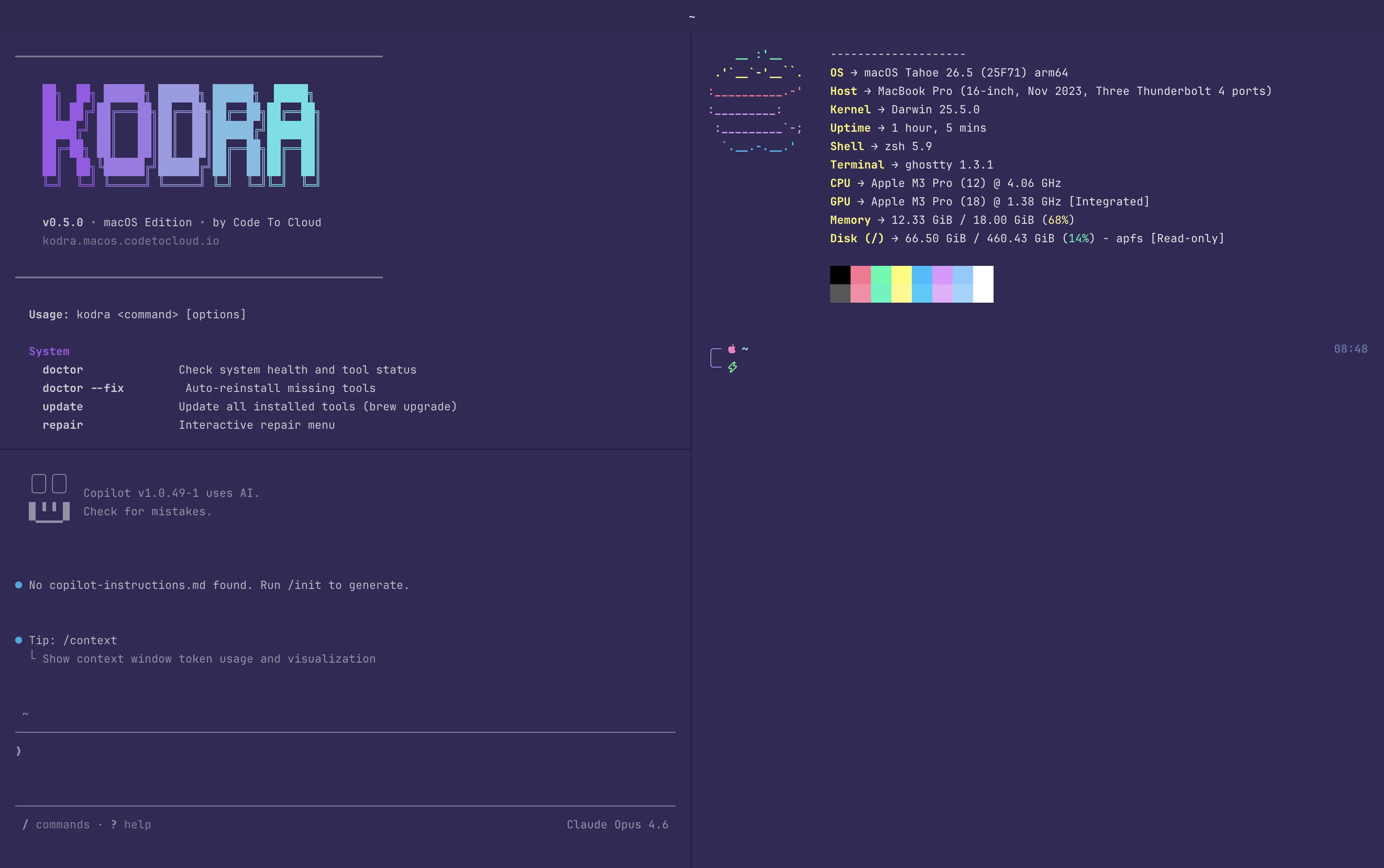
Ghostty is a GPU-accelerated terminal emulator built by Mitchell Hashimoto (of Terraform/Vagrant fame). It renders faster than iTerm2, supports ligatures and Nerd Fonts natively, and ships with a configuration format that actually makes sense. Kodra installs Ghostty with a cyberpunk-inspired dark theme — the same aesthetic you see in the hero screenshot above.
tmux turns that single terminal window into a workspace. Kodra configures tmux with sane defaults — mouse support, 256 colors, a clean status bar — and adds a workspace menu so you can jump between projects without reaching for a mouse. Split panes, detach sessions, re-attach from SSH. If you've never used tmux, this is your on-ramp. If you already use it, these are the defaults you've always wanted.
Starship replaces the default zsh prompt with a cross-shell prompt that shows git status, language versions, cloud context, and Kubernetes cluster — all at a glance. Combined with JetBrains Mono Nerd Font, every icon and glyph renders perfectly.
OpenCode: AI Coding in Your Terminal
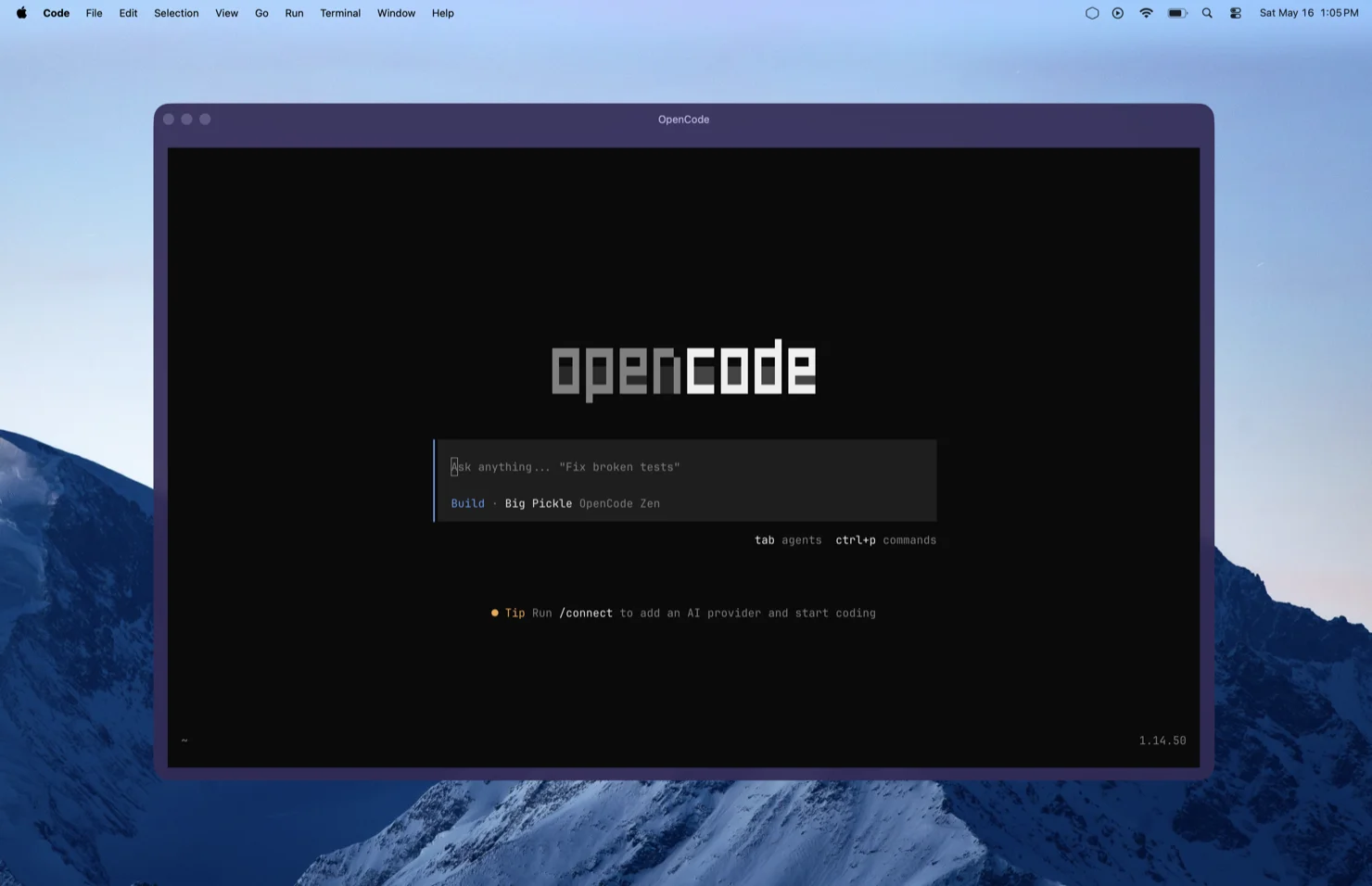
OpenCode is an open-source AI coding agent with over 160,000 GitHub stars. It runs directly in your terminal — no browser tab, no separate app. Ask it to fix broken tests, refactor a module, or scaffold an entire service. It reads your project context, understands your LSP configuration, and makes changes in place.
What makes OpenCode particularly compelling in the Kodra stack:
- GitHub Copilot login — sign in with your existing Copilot subscription. No separate API key needed.
- ChatGPT Plus/Pro — use your OpenAI account if you prefer GPT models.
- 75+ LLM providers — Claude, Gemini, local models, and more via Models.dev.
- Multi-session — run multiple agents in parallel across different parts of your project.
- Privacy-first — your code never hits third-party storage. OpenCode operates locally.
Kodra installs OpenCode alongside GitHub Copilot CLI (gh copilot), giving you two AI coding assistants. Use Copilot CLI for quick shell suggestions (gh copilot suggest "find all TODO comments in src/") and OpenCode for deep, multi-file coding sessions. They complement each other — one for velocity, one for depth.
Podman: Containers Without Docker Desktop
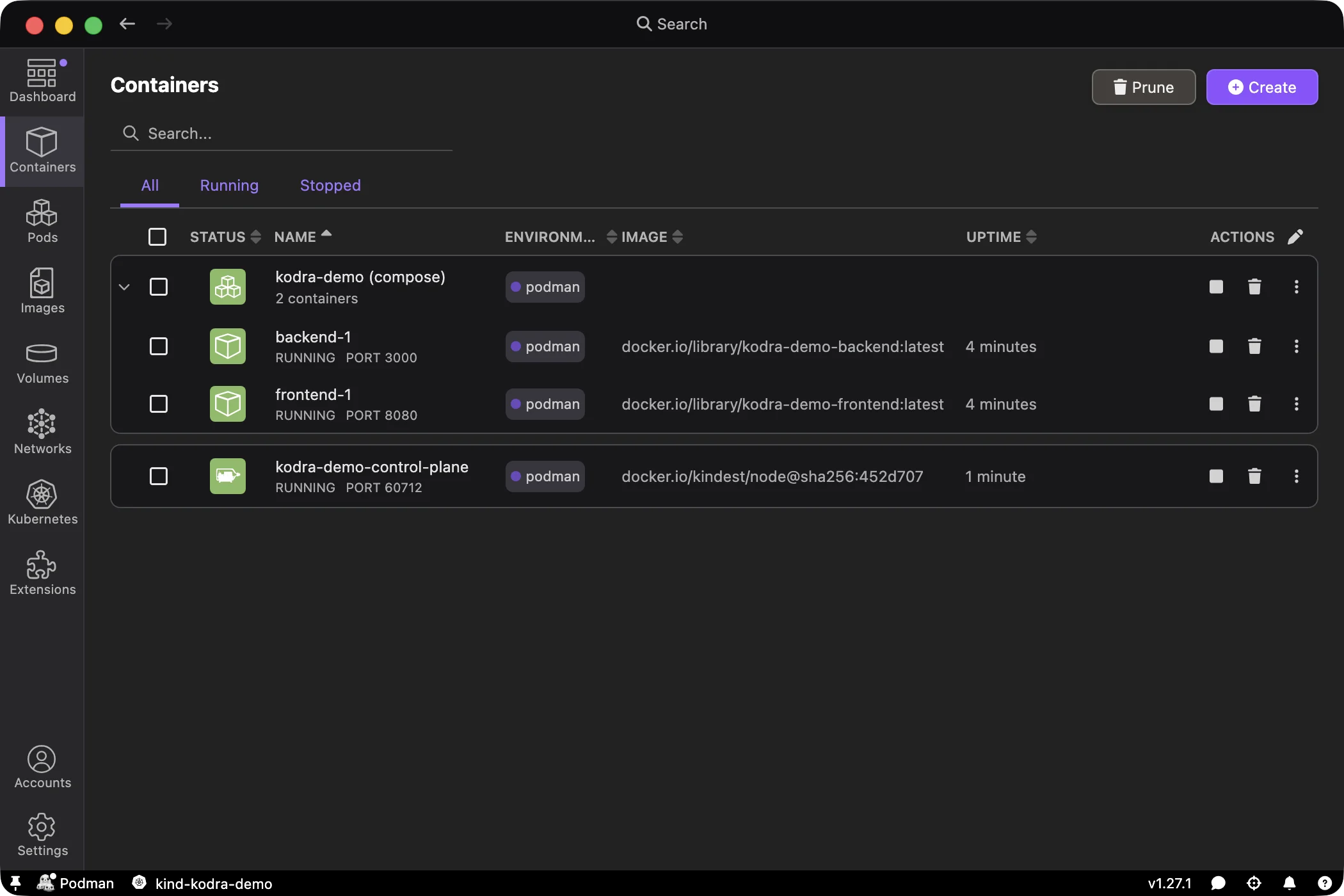
Docker Desktop's licensing model changed. If your company has more than 250 employees or $10M revenue, you need a paid subscription. For many teams, that's a conversation with procurement that takes longer than the actual development work.
Kodra macOS gives you a choice during installation:
Docker vs Podman — Choose Your Stack
| If you want… | Choose |
|---|---|
| Maximum Docker CLI compatibility | Colima + Docker CLI |
| No Docker dependency at all | Podman |
| Enterprise-friendly open-source stack | Podman |
| Existing Compose-heavy workflows | Colima + Docker CLI |
| Visual container management GUI | Podman (includes Podman Desktop) |
| Daemonless architecture | Podman |
Both stacks are fully open source and license-free. No subscription, no telemetry conversations, no procurement delays. This is what open-source container tooling looks like when it's done right — same developer experience, zero licensing overhead.
Here's the part that matters for teams migrating from Docker Desktop: when you choose the Podman stack, Kodra configures DOCKER_HOST to point at Podman's socket. Your existing docker build, docker compose up, and CI scripts work unchanged. Your muscle memory stays intact. The only difference is the engine underneath — and that engine doesn't require a license.
Both stacks include container security tooling — Trivy for vulnerability scanning and Dive for inspecting image layers. Security isn't an afterthought; it's installed alongside the runtime.
GitHub Copilot CLI: AI at the Shell Prompt
Kodra installs the GitHub CLI (gh) with the Copilot extension pre-configured. This gives you AI assistance directly in your shell — no editor needed.
# Explain a complex command
gh copilot explain "find . -name '*.tf' -exec grep -l 'azurerm' {} +"

# Suggest a command from natural language
gh copilot suggest "list all pods in the kube-system namespace sorted by restart count"
Combined with OpenCode and Copilot's agent capabilities, you have AI assistance at every layer of your workflow — shell, terminal agent, and editor. This is what modern developer tooling looks like.
Building your team's developer platform? We help engineering teams standardize tooling, streamline onboarding, and adopt AI-assisted workflows.
Book a Free Strategy CallThe Full Tool Stack
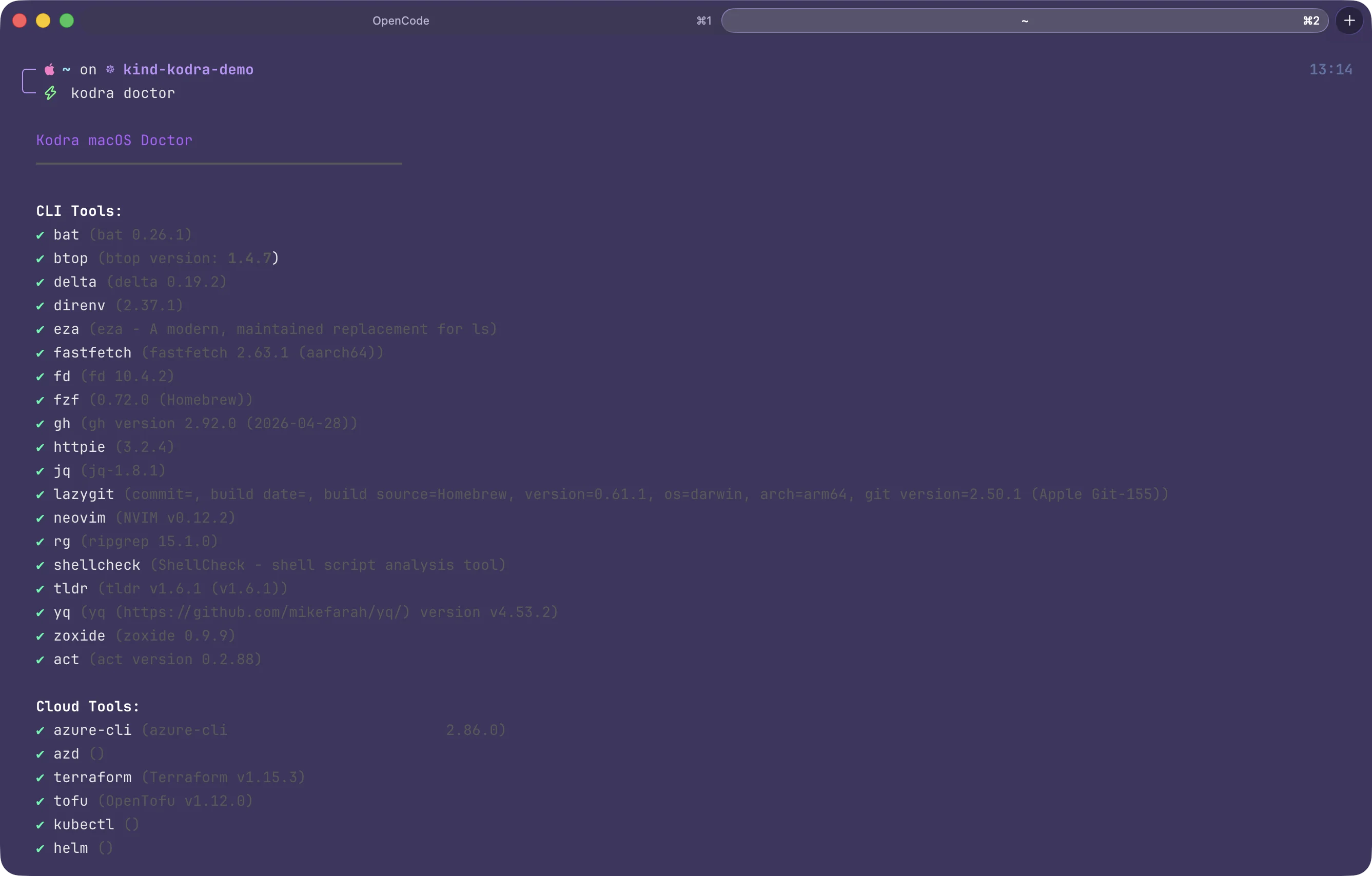
kodra doctor — one command to verify every tool is installed and healthyKodra macOS installs and configures 40+ tools across five categories. Everything is managed through Homebrew and native .pkg installers — no manual downloads, no version conflicts.
CLI Tools
| Tool | Purpose |
|---|---|
| bat | Cat with syntax highlighting |
| eza | Modern ls with icons and git status |
| ripgrep | Fast recursive search (replaces grep) |
| fd | Modern find replacement |
| fzf | Fuzzy finder for files, history, and git |
| delta | Beautiful git diffs with syntax highlighting |
| lazygit | Git TUI — stage, commit, rebase visually |
| zoxide | Smart cd that learns your habits |
| jq / yq | JSON and YAML processors |
| act | Run GitHub Actions locally |
Cloud & Infrastructure
| Tool | Purpose |
|---|---|
| az / azd | Azure CLI + Azure Developer CLI |
| terraform / tofu | Infrastructure as Code — HashiCorp Terraform + OpenTofu (community open-source fork) |
| kubectl / helm | Kubernetes management |
| k9s | Kubernetes TUI dashboard |
| ansible | Red Hat Ansible automation |
| oc | OpenShift CLI |
| pwsh | PowerShell 7 (native .pkg install) |
Developer Tools
| Tool | Purpose |
|---|---|
| mise | Polyglot runtime manager (Node, Python, Go, Rust, Java) |
| VS Code | Editor with Copilot + Azure extensions pre-installed |
| opencode | Open-source AI coding agent |
| gh copilot | GitHub Copilot CLI for shell assistance |
| neovim | Terminal editor |
Every tool is verified after installation with kodra doctor — a single command that checks versions, reports missing dependencies, and can auto-fix with kodra doctor --fix.
What Gets Changed on Your Mac
Transparency matters when a script modifies your system. Here's exactly what Kodra changes:
- Dock — auto-hide enabled, recent apps removed, minimal layout
- Finder — show file extensions, hidden files, path bar
- Keyboard — fast key repeat, disabled autocorrect
- Appearance — dark mode with purple accent color
- Screenshots — saved to
~/Screenshotsinstead of Desktop - Shell config — zsh aliases, completions, FZF integration
- Dotfiles — backed up automatically before any changes
Everything is reversible with kodra uninstall, and your original dotfiles are restored from the backup.
One Command Install
curl -fsSL https://kodra.macos.codetocloud.io/boot.sh | bashmacOS 14+ · Apple Silicon recommended · ~5GB disk space · View source on GitHub
Want to inspect before running? That's encouraged:
# Download and review first
curl -fsSL https://kodra.macos.codetocloud.io/boot.sh -o boot.sh
less boot.sh
bash boot.sh
The install is interactive — you'll choose your container stack (Docker or Podman), confirm tool selections, and see progress for each component. It's idempotent: running it again skips already-installed tools.
After installation, use the kodra CLI to manage everything:
kodra doctor          # Check tool health
kodra doctor --fix    # Auto-reinstall missing tools
kodra update          # Update all tools (brew upgrade)
kodra shortcuts       # Show all aliases and key bindings
kodra fetch           # System info (fastfetch)
kodra uninstall       # Clean removal
Kodra Across Every Platform
Kodra macOS is the third variant in the Kodra family. Whether your team runs Linux workstations, Windows with WSL2, or Macs, Kodra gives them the same tools and workflow:
| Feature | Kodra Linux | Kodra WSL | Kodra macOS |
|---|---|---|---|
| OS | Ubuntu 24.04 | WSL2 Ubuntu | macOS 14+ |
| Package Manager | apt | apt | Homebrew + .pkg |
| Terminal | Ghostty | Oh My Posh | Ghostty + tmux + Starship |
| Containers | Docker CE | Docker CE | Colima or Podman |
| AI Coding | Copilot CLI | Copilot CLI | OpenCode + Copilot CLI |
| Architecture | x86_64 / arm64 | x86_64 | Apple Silicon native |
| CI Testing | ubuntu-24.04 | windows-2022 | macos-15 (real Apple Silicon) |
Kodra macOS is tested on real Apple Silicon runners in GitHub Actions — not emulated, not virtualized. The CI pipeline runs 360+ unit tests and full integration tests on every commit.
Frequently Asked Questions
Is Kodra macOS safe to install?
Yes. Kodra is fully open source under the MIT license. The bootstrap script installs tools exclusively through Homebrew and official .pkg installers — no binaries from unknown sources. You can inspect the entire source before running it. Existing dotfiles are backed up automatically before any changes are made.
Does Kodra macOS require Docker Desktop?
No. During installation, you choose between two container stacks: the Docker stack (Colima + Docker CLI + Compose) or the Podman stack (Podman + Podman Desktop + podman-compose). Both are fully open source and license-free. Your existing docker and docker compose commands work with either stack.
Does it work on Apple Silicon?
Yes. Kodra macOS is built for Apple Silicon (M1, M2, M3, M4) and runs on macOS 14 Sonoma or later. Intel Macs are also supported. The entire toolchain runs natively on ARM64 — no Rosetta translation layer needed.
What if I already have Homebrew and some tools installed?
Kodra detects existing installations and skips them. It's idempotent — running it on a machine with tools already installed won't break anything. It will install missing tools, apply configurations, and verify everything with kodra doctor.
What is OpenCode and how does it compare to GitHub Copilot?
OpenCode is an open-source AI coding agent that runs in your terminal. It can use your GitHub Copilot subscription, ChatGPT Plus, or 75+ other LLM providers. Think of it as a terminal-native alternative to Cursor or Windsurf — your code stays local, and you choose the model. Kodra installs both OpenCode and GitHub Copilot CLI so you have AI assistance everywhere.
Get Started
Kodra macOS is free, open source, and MIT licensed. Star the repo, fork it, contribute back. We built this because every developer deserves a world-class environment on day one — not day five. And we built it open source because the best tools are the ones you can inspect, modify, and own.
# Install Kodra macOS
curl -fsSL https://kodra.macos.codetocloud.io/boot.sh | bash

# Or inspect first — we encourage it
curl -fsSL https://kodra.macos.codetocloud.io/boot.sh -o boot.sh && less boot.sh
If you find Kodra useful, share it with your team. If your organization needs help standardizing developer environments, our fractional CTO advisory can help you build a developer platform that scales — from tooling to Azure landing zones to cloud-native training.
Join the Code To Cloud Discord to connect with other developers using Kodra, share your terminal setups, and get help with configuration.
Ready to level up your dev environment?
50+ advisory engagements across Alberta & Western Canada