GitHub has officially rolled out custom instructions for Copilot, and it's a game-changer for teams who want AI assistance that actually understands their constraints. No more "please use Azure instead of AWS" corrections. No more explaining your testing requirements on every prompt.
After helping several organizations implement this, I've compiled the definitive guide to setting up Copilot instructions that work for platform engineers, developers, and data teams alike.
TL;DR - Quick Summary
- Repository instructions: Create
.github/copilot-instructions.mdfor repo-wide rules - Path-specific: Use
.github/instructions/*.instructions.mdwithapplyToglob patterns - Agent files:
AGENTS.md,CLAUDE.md,GEMINI.mdat repo root - Org-level: Configure via GitHub UI (Settings → Copilot) - preview only
- Priority order: Personal → Repository → Organization (all combined)
- Best practice: Use template repositories to scale instructions across teams
What Are GitHub Copilot Custom Instructions?
Custom instructions are markdown files that live in your repository and tell Copilot how to behave when working in that codebase. Think of them as persistent context that shapes every suggestion Copilot makes.
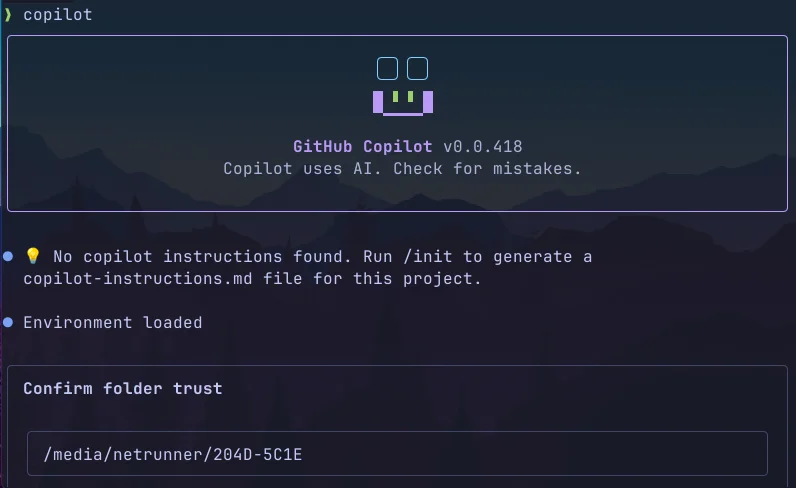
GitHub supports three types of custom instructions:
1. Repository-Wide Instructions
Apply to all requests in the repository:
.github/copilot-instructions.md2. Path-Specific Instructions
Apply only to files matching specific patterns. Create files in .github/instructions/ with frontmatter:
.github/instructions/bicep.instructions.md
---
applyTo: "**/*.bicep"
---
Use Azure Verified Modules when available.
Follow CAF naming conventions.
3. Agent Instructions
For AI coding agents (Copilot Workspace, Claude, etc.), you can also use:
AGENTS.md- OpenAI's agents.md specification (nearest file in directory tree takes precedence)CLAUDE.md- Claude-specific instructions at repo rootGEMINI.md- Gemini-specific instructions at repo root
Priority order: Personal instructions → Repository instructions → Organization instructions. All applicable instructions are provided to Copilot, so avoid conflicts.
┌─────────────────────────────────────────────────────────────────────────────┐
│                     HOW COPILOT INSTRUCTIONS COMBINE                        │
├─────────────────────────────────────────────────────────────────────────────┤
│                                                                             │
│   ┌──────────────────┐                                                      │
│   │    PERSONAL      │  ◄── Highest Priority                                │
│   │   Instructions   │      (Your account settings)                         │
│   └────────┬─────────┘                                                      │
│            │                                                                │
│            ▼                                                                │
│   ┌──────────────────┐      ┌─────────────────────────────┐                 │
│   │   REPOSITORY     │      │  copilot-instructions.md    │                 │
│   │   Instructions   │ ◄────│  instructions/*.md          │                 │
│   │   (Files)        │      │  AGENTS.md / CLAUDE.md      │                 │
│   └────────┬─────────┘      └─────────────────────────────┘                 │
│            │                                                                │
│            ▼                                                                │
│   ┌──────────────────┐                                                      │
│   │  ORGANIZATION    │  ◄── Lowest Priority                                 │
│   │   Instructions   │      (Settings UI - preview)                         │
│   └────────┬─────────┘                                                      │
│            │                                                                │
│            ▼                                                                │
│   ┌──────────────────────────────────────────────────────────────────────┐  │
│   │                    COPILOT CONTEXT                                   │  │
│   │         All applicable instructions are COMBINED                     │  │
│   │              (Conflicts may cause issues)                            │  │
│   └──────────────────────────────────────────────────────────────────────┘  │
│                                                                             │
└─────────────────────────────────────────────────────────────────────────────┘
All instruction sources are combined into Copilot's context
When Copilot sees these files, it incorporates them into context for all interactions. This means:
- Technology preferences are respected automatically
- Coding standards are followed without reminders
- Team-specific patterns are suggested by default
- Compliance requirements are baked into every suggestion
The Essential Repository Structure
Before diving into instructions, let's establish a solid foundation. Here's the repository structure I recommend for teams adopting Copilot:
your-repo/
├── .github/
│   ├── copilot-instructions.md      # Repository-wide Copilot instructions
│   ├── instructions/                # Path-specific instructions
│   │   ├── bicep.instructions.md    # For *.bicep files
│   │   ├── python.instructions.md   # For *.py files
│   │   └── tests.instructions.md    # For tests/**
│   ├── CODEOWNERS                   # Who reviews what
│   ├── CONTRIBUTING.md              # Human contribution guidelines
│   ├── PULL_REQUEST_TEMPLATE.md     # PR checklist
│   ├── ISSUE_TEMPLATE/
│   │   ├── bug_report.md
│   │   ├── feature_request.md
│   │   └── config.yml
│   └── workflows/                   # CI/CD pipelines
│       ├── ci.yml
│       ├── security.yml
│       └── deploy.yml
├── AGENTS.md                        # Agent instructions (optional)
├── .gitignore                       # Language/framework specific
├── .editorconfig                    # Consistent formatting
├── README.md                        # Project documentation
├── docs/
│   ├── architecture.md              # System design decisions
│   ├── adr/                         # Architecture Decision Records
│   └── runbooks/                    # Operational procedures
├── src/                             # Application code
├── infra/                           # Infrastructure as Code
│   ├── bicep/                       # or terraform/
│   └── modules/
└── tests/
    ├── unit/
    ├── integration/
    └── e2e/
Writing Effective Copilot Instructions
The key to good instructions is being specific without being restrictive. Here's a template that works across different team types:
Base Template
# Copilot Instructions for [Project Name]

## Project Overview
[Brief description of what this project does and its business context]

## Technology Stack
- **Cloud Provider:** Azure only (do not suggest AWS or GCP alternatives)
- **Infrastructure as Code:** Bicep (preferred) or Terraform
- **Primary Language:** [Your language]
- **Framework:** [Your framework]
- **Database:** [Your database]

## Coding Standards

### General Principles
- Follow [your style guide] conventions
- Prefer explicit over implicit
- Write self-documenting code with clear variable names
- Include JSDoc/docstrings for public APIs

### Error Handling
- Always handle errors explicitly
- Use custom error types for domain-specific errors
- Log errors with context (correlation IDs, user context)
- Never swallow exceptions silently

### Security Requirements
- Never hardcode secrets, credentials, or API keys
- Use Azure Key Vault for secret management
- Validate and sanitize all user inputs
- Follow OWASP guidelines for web applications

## Testing Requirements
- Minimum 80% code coverage for new code
- All public APIs must have unit tests
- Integration tests required for external service calls
- Use [testing framework] for all tests

## Git Workflow
- Use conventional commits (feat:, fix:, docs:, etc.)
- Branch naming: feature/[ticket-id]-description
- Squash commits before merging
- All PRs require at least one approval

## Documentation
- Update README.md for any new features
- Include inline comments for complex logic
- Create ADRs for significant architectural decisions
Department-Specific Instructions
Different teams have different needs. Here are tailored instruction sets for common engineering roles:
Platform Engineering Teams
# Copilot Instructions - Platform Engineering

## Context
This repository contains infrastructure code for our Azure landing zones.
We follow the Cloud Adoption Framework and Azure Well-Architected Framework.

## Technology Constraints
- **Cloud:** Azure only - never suggest AWS or GCP services
- **IaC:** Bicep is mandatory (not ARM templates, not Terraform)
- **Deployment:** Azure DevOps Pipelines or GitHub Actions
- **Secrets:** Azure Key Vault only

## Bicep Standards
- Use Azure Verified Modules (AVM) when available from the registry
- Use modules for reusable components
- Follow naming convention: `[resourceType]-[workload]-[environment]-[region]-[instance]`
- Always include resource tags: Environment, Owner, CostCenter, Project
- Use parameter files for environment-specific values
- Validate with `az bicep build` before committing

## Azure Verified Modules
Prefer AVM modules from the Bicep public registry:
```bicep
module storageAccount 'br/public:avm/res/storage/storage-account:0.9.0' = {
  name: 'storageAccountDeployment'
  params: {
    name: storageAccountName
    location: location
    skuName: 'Standard_LRS'
    tags: tags
  }
}
```
Browse available modules: https://azure.github.io/Azure-Verified-Modules/

## Example Resource Naming
```bicep
var storageAccountName = 'st${workload}${environment}${uniqueString(resourceGroup().id)}'
var keyVaultName = 'kv-${workload}-${environment}-${location}'
```

## Security Requirements
- Enable diagnostic settings on all resources
- Use managed identities over service principals
- Implement network isolation (Private Endpoints, NSGs)
- Enable Microsoft Defender for Cloud on all subscriptions
- Follow principle of least privilege for RBAC

## Testing
- All modules must have validation tests
- Use what-if deployments in PR pipelines
- Integration tests deploy to sandbox subscription

## Prohibited Patterns
- No public IP addresses without explicit approval
- No storage accounts with public blob access
- No Key Vaults with public network access
- No SQL servers without Azure AD authentication
Application Developers
# Copilot Instructions - Application Development

## Context
This is a [type] application built with [framework].
Our primary users are [user description].

## Technology Stack
- **Runtime:** Node.js 20 LTS / Python 3.12 / .NET 8
- **Framework:** [Your framework]
- **Database:** Azure SQL / Cosmos DB / PostgreSQL
- **Caching:** Azure Redis Cache
- **Messaging:** Azure Service Bus
- **Storage:** Azure Blob Storage

## Code Style
- Use ESLint/Prettier with our shared config
- Maximum function length: 50 lines
- Maximum file length: 300 lines
- Prefer composition over inheritance
- Use dependency injection for testability

## API Design
- Follow RESTful conventions
- Use OpenAPI 3.0 for documentation
- Version APIs in the URL path (/api/v1/)
- Return consistent error responses:
```json
{
  "error": {
    "code": "VALIDATION_ERROR",
    "message": "Human readable message",
    "details": []
  }
}
```

## Authentication & Authorization
- Use Azure AD / Entra ID for authentication
- Implement RBAC with custom roles
- Validate JWT tokens on every request
- Never trust client-side authorization

## Testing Requirements
- Unit tests: Jest/pytest/xUnit
- Integration tests: Testcontainers for database tests
- E2E tests: Playwright for UI
- Performance tests: k6 for load testing
- Minimum 80% coverage, 95% for critical paths

## Observability
- Use Application Insights for APM
- Structured logging with correlation IDs
- Custom metrics for business KPIs
- Distributed tracing for microservices
Data Engineering Teams
# Copilot Instructions - Data Engineering

## Context
This repository contains data pipelines and analytics infrastructure.
We process [data volume] daily from [sources].

## Technology Stack
- **Orchestration:** Azure Data Factory / Databricks Workflows
- **Processing:** Azure Databricks (PySpark)
- **Storage:** Azure Data Lake Storage Gen2
- **Warehouse:** Azure Synapse Analytics / Fabric
- **Streaming:** Azure Event Hubs + Stream Analytics
- **Catalog:** Microsoft Purview

## Data Architecture
- Follow medallion architecture (Bronze/Silver/Gold)
- Bronze: Raw data, append-only, preserve source schema
- Silver: Cleaned, deduplicated, standardized
- Gold: Business-ready, aggregated, optimized for queries

## PySpark Standards
```python
# Always use explicit schemas
from pyspark.sql.types import StructType, StructField, StringType

schema = StructType([
    StructField("id", StringType(), nullable=False),
    StructField("name", StringType(), nullable=True)
])

# Use Delta Lake for all tables
df.write.format("delta").mode("merge").saveAsTable("catalog.schema.table")
```

## Data Quality
- Implement data contracts for all datasets
- Use Great Expectations or similar for validation
- Track data lineage in Purview
- Alert on schema drift or quality degradation

## Security & Compliance
- Classify all data (Public, Internal, Confidential, Restricted)
- Implement column-level security for PII
- Use Unity Catalog for access control
- Enable audit logging for all data access
- GDPR: Support right-to-deletion workflows

## Testing
- Unit tests for transformation logic
- Integration tests with sample datasets
- Data quality tests in pipelines
- Performance benchmarks for large-scale jobs

## Naming Conventions
- Databases: `[domain]_[layer]` (e.g., sales_bronze)
- Tables: `[entity]_[descriptor]` (e.g., customers_daily)
- Columns: snake_case, no abbreviations
- Pipelines: `pl_[source]_to_[target]_[frequency]`
Branding and Documentation Guidelines
If your organization has specific branding requirements, include them:
## Branding Guidelines

### Company Voice
- Professional but approachable
- Use "we" not "I" in documentation
- Avoid jargon when simpler terms exist
- Lead with benefits, not features

### Documentation Standards
- Use sentence case for headings
- Include code examples for all APIs
- Add screenshots for UI documentation
- Keep paragraphs under 4 sentences

### Terminology
- Use "sign in" not "log in"
- Use "select" not "click"
- Use "Azure" not "azure" or "AZURE"
- Company name is "[Your Company]" - always capitalized
Path-Specific Instructions
One of the most powerful features is applying different instructions to different parts of your codebase. Create files in .github/instructions/ with frontmatter specifying which files they apply to.
Example: Bicep Infrastructure
# .github/instructions/bicep.instructions.md
---
applyTo: "**/*.bicep"
---

## Bicep Development Guidelines

When writing or modifying Bicep files:

- Use Azure Verified Modules (AVM) from the public registry when available
- Browse modules at: https://azure.github.io/Azure-Verified-Modules/
- Reference format: `br/public:avm/res/[provider]/[resource]:[version]`
- Follow CAF naming convention: `[type]-[workload]-[env]-[region]-[instance]`
- Always include required tags: Environment, Owner, CostCenter
- Use @description() decorators on all parameters
- Prefer user-assigned managed identities over system-assigned
- Enable diagnostic settings on all resources
- Use private endpoints for PaaS services

Example AVM usage:
```bicep
module keyVault 'br/public:avm/res/key-vault/vault:0.6.0' = {
  name: 'keyVaultDeployment'
  params: {
    name: kvName
    enablePurgeProtection: true
  }
}
```
Example: Python Code
# .github/instructions/python.instructions.md
---
applyTo: "**/*.py"
---

## Python Development Guidelines

- Use Python 3.12+ features (type hints, match statements)
- Follow PEP 8 and use Black for formatting
- Use Pydantic for data validation
- Prefer async/await for I/O operations
- Use pytest for all tests
- Include docstrings in Google format
Example: Test Files
# .github/instructions/tests.instructions.md
---
applyTo: "**/tests/**,**/*_test.py,**/*.test.ts"
---

## Testing Guidelines

- Use AAA pattern: Arrange, Act, Assert
- One assertion concept per test
- Use descriptive test names: test_[method]_[scenario]_[expected]
- Mock external dependencies
- Include both happy path and error cases
- Aim for 80%+ coverage on new code
Glob Pattern Reference
*- matches all files in current directory**or**/*- matches all files in all directories*.py- matches .py files in current directory**/*.py- matches .py files recursivelysrc/**/*.ts- matches .ts files under src/**/*.ts,**/*.tsx- multiple patterns with comma
┌──────────────────────────────────────────────────────────────┐
│      HOW PATH-SPECIFIC INSTRUCTIONS ARE MATCHED              │
├──────────────────────────────────────────────────────────────┤
│                                                              │
│  You're editing:  src/pipelines/sales_etl.py                 │
│                                                              │
│  ┌────────────────────────────────────────────────────────┐  │
│  │ .github/instructions/                                  │  │
│  │                                                        │  │
│  │  python.instructions.md     -> applyTo: **/*.py     Y  │  │
│  │  databricks.instructions.md -> applyTo: **/pipes/** Y  │  │
│  │  react.instructions.md      -> applyTo: **/*.tsx    N  │  │
│  │  tests.instructions.md      -> applyTo: **/tests/** N  │  │
│  └────────────────────────────────────────────────────────┘  │
│                            │                                 │
│                            v                                 │
│  ┌────────────────────────────────────────────────────────┐  │
│  │         COMBINED INSTRUCTIONS FOR THIS FILE            │  │
│  │                                                        │  │
│  │  copilot-instructions.md    (repo-wide, always)        │  │
│  │  + python.instructions.md   (matched **/*.py)          │  │
│  │  + databricks.instructions  (matched **/pipes/**)      │  │
│  │                                                        │  │
│  └────────────────────────────────────────────────────────┘  │
│                                                              │
└──────────────────────────────────────────────────────────────┘
Multiple instruction files can apply to a single file based on glob patterns
Standard .gitignore Templates
A proper .gitignore prevents secrets and build artifacts from being committed. Here are templates for common stacks:
For Azure/Bicep Projects
# Azure
.azure/
*.azureauth
azure.json

# Bicep
*.json.lock

# Terraform (if used alongside)
.terraform/
*.tfstate
*.tfstate.*
*.tfvars
!example.tfvars

# Secrets
*.pem
*.key
*.pfx
.env
.env.*
!.env.example
local.settings.json

# IDE
.idea/
.vscode/*
!.vscode/settings.json
!.vscode/tasks.json
!.vscode/launch.json
!.vscode/extensions.json

# OS
.DS_Store
Thumbs.db

# Logs
*.log
logs/
For Node.js/TypeScript Projects
# Dependencies
node_modules/
.pnp
.pnp.js

# Build
dist/
build/
.next/
out/

# Testing
coverage/
.nyc_output/

# Environment
.env
.env.*
!.env.example

# Logs
npm-debug.log*
yarn-debug.log*
yarn-error.log*

# IDE
.idea/
.vscode/*
!.vscode/settings.json
!.vscode/extensions.json

# OS
.DS_Store

# Cache
.cache/
.turbo/
Enforcing Standards with Git Hooks
Instructions are great, but enforcement is better. Here's how to make standards stick:
Pre-commit Configuration
# .pre-commit-config.yaml
repos:
  - repo: https://github.com/pre-commit/pre-commit-hooks
    rev: v4.5.0
    hooks:
      - id: trailing-whitespace
      - id: end-of-file-fixer
      - id: check-yaml
      - id: check-json
      - id: detect-private-key
      - id: check-added-large-files

  - repo: https://github.com/gitleaks/gitleaks
    rev: v8.18.0
    hooks:
      - id: gitleaks

  - repo: local
    hooks:
      - id: bicep-build
        name: Validate Bicep
        entry: az bicep build --file
        language: system
        files: \.bicep$
Branch Protection Rules
Configure GitHub branch protection to enforce your standards. Include these requirements in your Copilot instructions so it understands the workflow:
## Branch Protection (enforced on main)

Our repository enforces these branch protection rules:

### Required for all PRs to main:
- At least 1 approving review required
- Dismiss stale reviews when new commits are pushed
- Require review from code owners (CODEOWNERS file)
- Require status checks to pass:
  - build
  - test
  - lint
  - security-scan
- Require branches to be up to date before merging
- Require signed commits (recommended for compliance)
- Require linear history (squash or rebase merging)

### Restrictions:
- No force pushes to main
- No deletions of main branch
- Admins are NOT exempt from rules

### PR Requirements:
- Link to issue/ticket in PR description
- Complete PR template checklist
- All conversations must be resolved
- Pass all automated checks before requesting review
Pro tip: Document your branch protection rules in your Copilot instructions so it generates PRs that comply with your workflow and doesn't suggest force-pushing or direct commits to protected branches.
Conventional Commits Cheat Sheet
Include this in your instructions so Copilot generates proper commit messages:
## Commit Message Format

Format: `type(scope): description`

### Types
- `feat`: New feature
- `fix`: Bug fix
- `docs`: Documentation only
- `style`: Formatting, no code change
- `refactor`: Code change that neither fixes nor adds
- `perf`: Performance improvement
- `test`: Adding tests
- `chore`: Maintenance tasks
- `ci`: CI/CD changes
- `build`: Build system changes

### Examples
```
feat(auth): add Azure AD B2C integration
fix(api): handle null response from payment service
docs(readme): add deployment instructions
refactor(utils): extract date formatting to shared module
```

### Breaking Changes
Add `!` after type: `feat(api)!: remove deprecated endpoints`
Putting It All Together
Here's a complete example combining everything:
# Copilot Instructions for Contoso Platform

## Project Overview
This repository contains the core platform infrastructure and shared services
for Contoso's Azure environment. We serve 50+ development teams and host
200+ applications across 3 Azure regions.

## Technology Constraints

### Cloud Platform
- **Azure Only**: Never suggest AWS or GCP alternatives
- We use Azure Landing Zones architecture
- All resources deploy to Canada Central (primary) or Canada East (DR)

### Infrastructure as Code
- **Bicep**: Primary IaC language (not Terraform, not ARM JSON)
- Use Azure Verified Modules when available
- Custom modules live in `/infra/modules/`

### CI/CD
- GitHub Actions for all pipelines
- Environments: dev → staging → prod
- Require manual approval for production

## Coding Standards

### Bicep Modules
```bicep
// Always include these parameters
@description('The environment name (dev, staging, prod)')
param environment string

@description('The Azure region for deployment')
param location string = resourceGroup().location

@description('Tags to apply to all resources')
param tags object = {}
```

### Naming Convention
Follow: `[type]-[workload]-[environment]-[region]-[instance]`
- Storage: `stcontosoplatformprodcc001`
- Key Vault: `kv-contoso-platform-prod-cc`
- App Service: `app-contoso-api-prod-cc`

## Security Requirements
- All storage accounts: private endpoints only
- All Key Vaults: RBAC authorization, no access policies
- All SQL: Azure AD authentication, no SQL auth
- Enable Microsoft Defender on all subscriptions
- Log everything to central Log Analytics workspace

## Testing Requirements
- Bicep: PSRule validation in PR
- Bicep: What-if in PR comments
- Integration: Deploy to sandbox, run tests, destroy
- Security: Weekly Defender for Cloud scan

## Git Workflow
- Branch from: `main`
- Branch naming: `feature/PLAT-123-description`
- Commit format: `type(scope): description`
- Squash merge to main
- Delete branch after merge

## Documentation
- Update ADRs in `/docs/adr/` for architectural decisions
- Runbooks in `/docs/runbooks/` for operational procedures
- Keep README.md current with setup instructions

## What NOT to Do
- Never commit secrets (use Key Vault references)
- Never use public endpoints without security review
- Never bypass branch protection
- Never deploy without PR approval
- Never use deprecated Azure services
Testing Your Instructions
After setting up your instructions:
- Verify Copilot sees them: Ask Copilot "What are the technology constraints for this project?"
- Test suggestions: Ask for infrastructure code and verify it uses your preferred tools
- Check edge cases: Try asking for something prohibited and see if Copilot redirects appropriately
- Iterate: Refine instructions based on team feedback
Common Pitfalls to Avoid
- Instructions too long: GitHub recommends keeping instructions to about 2 pages. Copilot has context limits.
- Conflicting instructions: Personal, repo, and org instructions all get included. Avoid contradictions.
- Too restrictive: Don't micromanage. Focus on important constraints.
- Outdated information: Review instructions quarterly. Consider self-documenting infrastructure practices to keep documentation in sync with your codebase.
- Missing context: Include the "why" not just the "what".
- No examples: Show, don't just tell.
Resources
- GitHub Docs: Adding Repository Custom Instructions
- Custom Instructions Support Reference
- OpenAI AGENTS.md Specification
- Azure Verified Modules (AVM) Catalog
- GitHub Branch Protection Rules
- Azure Cloud Adoption Framework
- Conventional Commits Specification
Scaling Across a GitHub Organization
Individual repository instructions are great, but what happens when you have 50, 100, or 500 repos? Here's how to scale Copilot instructions across your entire GitHub organization.
Organization-Level Custom Instructions
GitHub supports organization-wide instructions that apply across all repositories. Important: Unlike repository instructions (which use markdown files), organization instructions are configured through the GitHub UI. See the official GitHub documentation for the latest details.
Current limitations (as of March 2026):
- This feature is in public preview
- Requires Copilot Business or Enterprise plan
- Currently only supports Copilot Chat, Code Review, and Coding Agent on GitHub.com
- Does not yet apply to Copilot in VS Code, JetBrains, or other IDEs
To configure: Organization Settings → Copilot → Custom instructions → Add your text instructions → Save
What belongs at org level:
- Cloud provider constraints ("Azure only")
- Security requirements (secret management, authentication standards)
- Compliance requirements (SOC 2, HIPAA, GDPR considerations)
- Company branding and terminology
- Approved technology lists
What belongs at repo level (via files):
- Project-specific tech stack details
- Team-specific coding conventions
- Build and test commands
- Architecture specifics
Remember: All applicable instructions (personal → repo → org) are combined, so keep org-level instructions focused on universal requirements to avoid conflicts.
Given the current preview limitations, the most reliable scaling strategy today is using template repositories with pre-configured instruction files.
┌──────────────────────────────────────────────────────────────────┐
│        SCALING COPILOT INSTRUCTIONS ACROSS AN ORG                │
├──────────────────────────────────────────────────────────────────┤
│                                                                  │
│                 ┌─────────────────────┐                          │
│                 │  ORGANIZATION LEVEL │                          │
│                 │  (Settings UI)      │                          │
│                 │  • Azure only       │                          │
│                 │  • Security baseline│                          │
│                 └─────────┬───────────┘                          │
│                           │                                      │
│           ┌───────────────┼───────────────┐                      │
│           │               │               │                      │
│           ▼               ▼               ▼                      │
│   ┌─────────────┐ ┌─────────────┐ ┌─────────────┐                │
│   │  TEMPLATE   │ │  TEMPLATE   │ │  TEMPLATE   │                │
│   │  platform   │ │  dotnet-api │ │  data-pipe  │                │
│   │  • Bicep    │ │  • C# style │ │  • PySpark  │                │
│   └──────┬──────┘ └──────┬──────┘ └──────┬──────┘                │
│          │               │               │                       │
│     ┌────┴────┐     ┌────┴────┐     ┌────┴────┐                  │
│     ▼         ▼     ▼         ▼     ▼         ▼                  │
│  ┌─────┐  ┌─────┐ ┌─────┐ ┌─────┐ ┌─────┐ ┌─────┐                │
│  │repo1│  │repo2│ │repo3│ │repo4│ │repo5│ │repo6│                │
│  └─────┘  └─────┘ └─────┘ └─────┘ └─────┘ └─────┘                │
│                                                                  │
│       Teams create repos FROM templates                          │
│       Instructions + CI/CD come pre-configured                   │
│                                                                  │
└──────────────────────────────────────────────────────────────────┘
Template repositories distribute consistent instructions across your organization
Template Repositories (Recommended Approach)
The most effective scaling strategy is using GitHub template repositories. Create starter templates for each project type:
your-org/
├── template-platform-infra/        # For infrastructure repos
│   ├── .github/
│   │   ├── copilot-instructions.md
│   │   ├── instructions/
│   │   │   └── bicep.instructions.md
│   │   └── workflows/
│   ├── AGENTS.md
│   └── infra/
│
├── template-dotnet-api/            # For .NET backend services
│   ├── .github/
│   │   ├── copilot-instructions.md
│   │   ├── instructions/
│   │   │   ├── csharp.instructions.md
│   │   │   └── tests.instructions.md
│   │   └── workflows/
│   └── src/
│
├── template-react-frontend/        # For React applications
│   ├── .github/
│   │   ├── copilot-instructions.md
│   │   ├── instructions/
│   │   │   ├── typescript.instructions.md
│   │   │   └── components.instructions.md
│   │   └── workflows/
│   └── src/
│
└── template-data-pipeline/         # For data engineering
    ├── .github/
    │   ├── copilot-instructions.md
    │   └── instructions/
    │       └── pyspark.instructions.md
    └── pipelines/
When teams create new repos from these templates, they get pre-configured Copilot instructions, CI/CD pipelines, and folder structures instantly.
Centralized Instructions Repository
For large organizations, maintain a central repository with reusable instruction modules:
your-org/copilot-instructions-library/
├── README.md
├── base/
│   ├── azure-only.md           # Cloud constraint boilerplate
│   ├── security-baseline.md    # Security requirements
│   └── git-workflow.md         # Commit conventions, branching
│
├── languages/
│   ├── csharp.md
│   ├── python.md
│   ├── typescript.md
│   └── bicep.md
│
├── frameworks/
│   ├── dotnet-api.md
│   ├── react.md
│   ├── fastapi.md
│   └── databricks.md
│
├── domains/
│   ├── platform-engineering.md
│   ├── backend-development.md
│   ├── frontend-development.md
│   └── data-engineering.md
│
└── compliance/
    ├── hipaa.md
    ├── pci-dss.md
    └── gdpr.md
Teams can compose their repo-specific instructions by referencing or copying from this library. Consider automating this with a GitHub Action that assembles instructions from modular pieces.
Governance Model
Establish clear ownership and review processes:
| Level | Owner | Review Cadence | Approval Required |
|---|---|---|---|
| Organization | Platform Team / Architecture Board | Quarterly | CTO / Tech Leadership |
| Template Repos | Domain Leads (Platform, Data, etc.) | Monthly | 2 senior engineers |
| Individual Repos | Team Lead | As needed | 1 team member |
Rollout Strategy
Phase 1: Foundation (Weeks 1-2)
- Define organization-level instructions (security, cloud provider, compliance)
- Create 2-3 template repositories for most common project types
- Pilot with 3-5 volunteer teams
Phase 2: Iteration (Weeks 3-4)
- Gather feedback from pilot teams
- Refine instructions based on what Copilot gets wrong
- Document common customizations teams need
Phase 3: Broad Rollout (Weeks 5-8)
- Announce to all engineering teams
- Require instructions for all new repositories
- Provide migration guide for existing repos
- Office hours for questions and support
Phase 4: Optimization (Ongoing)
- Track instruction effectiveness (are PRs better?)
- Quarterly reviews of org-level instructions
- Share learnings across teams
Measuring Success
Track these metrics to understand if your instructions are working:
- Copilot acceptance rate - Are suggestions being accepted more often?
- PR review comments - Fewer "please use X instead of Y" comments?
- CI/CD pass rate - Less code failing lint/security checks?
- Time to first commit - Are new team members productive faster?
- Instruction coverage - What % of repos have instructions?
GitHub's Copilot metrics dashboard (available to Enterprise customers) can help track acceptance rates and usage patterns.
Complete Developer Onboarding
Template repositories handle the code side of onboarding, but what about the developer's machine? The fastest path to "time to first commit" combines:
- Environment bootstrapping - Get all tools installed automatically
- Template repositories - Clone a pre-configured project with Copilot instructions
- Copilot context - AI that understands your stack from day one
For Azure-focused teams, tools like Kodra can bootstrap an entire development environment in minutes — Azure CLI, Docker, VS Code, GitHub Copilot CLI, and more — with a single command. Pair that with your template repositories and new developers go from fresh laptop to productive in under an hour.
# 1. Bootstrap environment (Kodra example for Ubuntu)
wget -qO- https://kodra.codetocloud.io/boot.sh | bash

# 2. Clone from template
gh repo create my-project --template your-org/template-dotnet-api --clone

# 3. Start coding - Copilot already knows your standards
Handling Exceptions
Not every repo fits neatly into templates. Create an exception process:
- Document the deviation - Why does this repo need different rules?
- Get approval - Architecture review for significant departures
- Override locally - Repo instructions take precedence when needed
- Review periodically - Should this exception become a new template?
Example: Organization Instructions (Settings UI)
Here's what you might enter in your organization's Copilot custom instructions settings (Organization Settings → Copilot → Custom instructions):
# Contoso Engineering Standards

## Cloud Platform
- All infrastructure MUST be deployed to Microsoft Azure
- Never suggest AWS, GCP, or other cloud providers
- Use Azure regions: Canada Central (primary), Canada East (DR)

## Infrastructure as Code
- Use Bicep as the primary IaC language
- Use Azure Verified Modules (AVM) from the public registry when available
- Browse AVM catalog: https://azure.github.io/Azure-Verified-Modules/
- Terraform acceptable for multi-cloud scenarios only

## Security Requirements
- Never hardcode secrets, API keys, or credentials
- Use Azure Key Vault for all secret management
- Use Managed Identities over service principals
- All external endpoints require authentication
- Enable TLS 1.2+ for all connections

## Approved Technologies
Infrastructure: Bicep (preferred), Terraform
Backend: .NET 8, Python 3.12, Node.js 20 LTS
Frontend: React 18+, TypeScript 5+
Data: Azure Databricks, Synapse, Data Factory
Messaging: Azure Service Bus, Event Hubs

## Compliance
- All code must pass security scanning before merge
- PII must be classified and protected per data policy
- Audit logging required for all user actions
- GDPR: Support data deletion workflows

## Git Standards
- Use conventional commits (feat:, fix:, docs:, etc.)
- All changes require pull request review
- Squash merge to main branch

## Branch Protection (main branch)
- Minimum 1 approving review required
- Status checks must pass: build, test, lint, security
- Branches must be up to date before merging
- No force pushes or direct commits to main
- Never bypass branch protection rules

## Documentation
- README.md required for all repositories
- Include setup instructions for new developers
- Document architectural decisions in ADRs
Next Steps
Ready to implement this in your organization? Here's your action plan:
- Week 1: Define your org-level constraints (cloud, security, compliance)
- Week 2: Create your first template repository for your most common project type
- Weeks 3-4: Pilot with 3-5 teams, gather feedback, iterate
- Month 2: Roll out to all teams with migration guide
- Ongoing: Quarterly reviews, track metrics, refine
Start small, get feedback early, and iterate. The teams using Copilot daily will have the best insights on what instructions actually help.
The best time to set up Copilot instructions was when you started the project. The second-best time is now.
Need strategic advice on AI-assisted development practices? As a fractional CTO advisor, I help organizations build their Copilot adoption roadmap. Book a call to discuss your goals.