What's Inside
- Why "containerize it" and "modernize it" are two different projects, not one
- App Service vs. Container Apps vs. AKS — the actual decision framework, not "it depends"
- GitHub Copilot app modernization: what it automates end-to-end for Java and .NET
- Where governance and landing zones fit once the app is actually running on Azure
The first real mistake in most modernization projects happens before a single line of code changes: picking a target platform because it's the one the team has heard of, not the one the application actually needs. Kubernetes is the default answer in a lot of rooms. It's also frequently the wrong one.
Three Ways to Run a Container on Azure, and How to Actually Choose
Azure's own architecture guidance lays out three real options, not a spectrum from "basic" to "advanced":
- Azure App Service (Web App for Containers) — a fully managed service for HTTP-based web apps, with infrastructure maintenance, patching, scaling, and diagnostics handled for you. The right call for a straightforward web app that doesn't need microservices-style orchestration.
- Azure Container Apps — an abstraction over Kubernetes that lets apps run and scale without managing the underlying infrastructure, with both serverless and dedicated compute options. This is the sweet spot for most modernization projects: microservices and event-driven workloads, without owning a Kubernetes control plane.
- Azure Kubernetes Service (AKS) — a managed Kubernetes service that preserves the broadest configurability: custom controllers, specific networking requirements, workloads with needs too particular for a managed abstraction to cover.
The decision framework that actually holds up: Container Apps and App Service are PaaS, meaning Azure owns the update and patch burden — you avoid AKS's own upgrade management overhead entirely. Reach for AKS only when you have a specific, named reason Container Apps can't do the job, not because it's the platform everyone already knows how to say out loud in a meeting.
When AI Does the Modernization Work: GitHub Copilot App Modernization
Choosing the target platform is the easier half of the problem. The harder half, historically, has been the actual code — upgrading a Java 8 monolith on an unsupported Spring version, or a .NET Framework app nobody's touched since it shipped. GitHub Copilot app modernization is a purpose-built agentic tool for exactly this, not general-purpose chat pointed at a codebase — it runs a structured, end-to-end workflow: assessment, plan generation, code transformation, build validation, and deployment asset generation.
What it actually automates, concretely:
- JDK upgrades to Java 11, 17, 21, or 25
- Spring Boot upgrades up to version 4.0, and Spring Framework up to 7.x
- Java EE to Jakarta EE migration, up to Jakarta EE 11
- .NET Framework to modern .NET upgrades
- CVE remediation as part of the upgrade path, not a separate pass afterward
That's the difference between "we should modernize this someday" and a plan with a validated build at the end of it. It doesn't replace the platform decision above — a modernized Java app still needs a target, whether that's Container Apps, App Service, or AKS — but it collapses the part of the project that used to eat a quarter of engineering time into a guided, auditable workflow.
Containerizing Isn't Modernizing — Don't Confuse the Two
Packaging an application into a container image can genuinely help with deployment consistency and environment parity. It does not, by itself, fix an unsupported runtime, an unpatched dependency tree, or an architecture that was never designed to scale horizontally. A JDK 8 monolith in a container is still a JDK 8 monolith — now with an extra layer of infrastructure to maintain. Real modernization changes what's actually running: current language and framework versions, patched dependencies, and an architecture that fits the target platform you chose in the first step, not a lift-and-shift into a container for its own sake.
Governance Doesn't Stop the Day It's Containerized
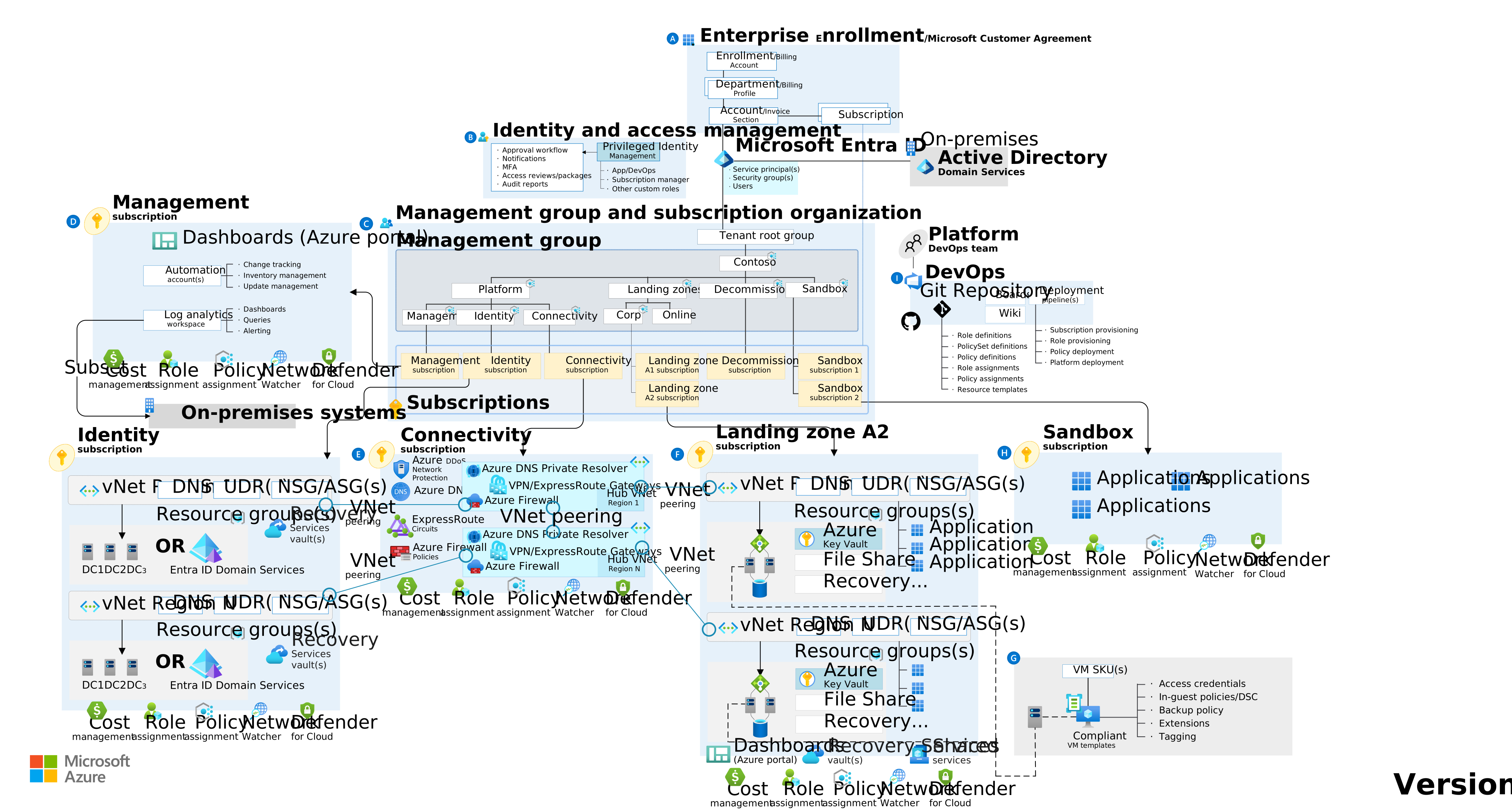
Getting an application onto Container Apps or AKS is the deployment milestone, not the finish line. The same governance discipline we cover in Azure cloud advisory and Azure landing zones — private networking, managed identity, RBAC, cost controls — applies to a modernized container workload exactly as much as it does to a VM or an AI agent platform. A newly modernized app running with no network segmentation and a shared identity is a different-shaped version of the same problem a legacy VM had.
What We'd Tell Any Enterprise Modernizing Today
- Pick the target platform based on what the application actually needs, not team familiarity — Container Apps covers more real cases than the room usually assumes
- Use purpose-built modernization tooling for the language-specific upgrade work instead of a manual, multi-quarter rewrite
- Don't call it "modernized" just because it's in a container — check the runtime and dependency versions actually changed
- Land the modernized workload inside the same governed landing zone as everything else, not as a one-off exception
If you're weighing a modernization project — platform choice, the upgrade work itself, or both — see our Agentic DevOps work, or read more on Azure cloud advisory if governance and landing zones are the bigger open question.
Have a legacy application you're trying to figure out where it lands? Book a discovery call or join our Discord community.
Kevin Evans
 Fractional CTO & Founder, Code To Cloud Inc.
Kevin Evans is a fractional CTO and technology advisor based in Calgary, Alberta. He spent nearly five years at Microsoft — rising to Senior Solutions Engineer — leading cloud and AI platform strategy, and now leads enterprise and mid-market engagements at Code To Cloud. More about Kevin
Fractional CTO & Founder, Code To Cloud Inc.
Kevin Evans is a fractional CTO and technology advisor based in Calgary, Alberta. He spent nearly five years at Microsoft — rising to Senior Solutions Engineer — leading cloud and AI platform strategy, and now leads enterprise and mid-market engagements at Code To Cloud. More about Kevin
Frequently Asked Questions
Should I use Azure App Service, Container Apps, or AKS for a containerized app?
App Service for Containers and Container Apps are both PaaS — Azure manages patching, scaling, and updates for you, which avoids AKS's own upgrade management overhead. Container Apps sits on top of Kubernetes without exposing it, giving you serverless or dedicated compute for microservices-style workloads. AKS is the right call when you genuinely need the configurability of raw Kubernetes — custom controllers, specific networking models, or workloads too complex for a managed abstraction. Most teams modernizing a single application don't need AKS; they need Container Apps or App Service.
Can GitHub Copilot actually upgrade a legacy Java or .NET application automatically?
Yes, for the categories it supports — GitHub Copilot app modernization is a purpose-built agentic tool, not general-purpose chat, that automates JDK upgrades (to Java 11, 17, 21, or 25), Spring Boot and Spring Framework upgrades, Java EE to Jakarta EE migration, and .NET Framework-to-modern-.NET upgrades end to end: analysis, plan generation, code transformation, build validation, and CVE remediation.
Do I need Kubernetes to modernize a legacy application on Azure?
No. Kubernetes is one option, not a requirement. Azure Container Apps gives you container orchestration benefits — scaling, revisions, service discovery — without you managing a Kubernetes control plane at all, and it's the better starting point for most application modernization projects unless you have a specific reason to need AKS's full configurability.
What's the difference between containerizing an app and actually modernizing it?
Containerizing an app packages what's already there into a container image — it can genuinely help with deployment consistency, but a legacy JDK 8 monolith in a container is still a legacy JDK 8 monolith. Modernization means the application itself changes: current language/framework versions, patched dependencies, and an architecture that fits its new target instead of just being lifted and shifted into a container.